Dogpanion Videos
See what Dogpanion can do


What you will find on this page
This page is the home for our short videos about Dogpanion. There is one video that shows the whole app at a glance, and three more that each focus on a plan: Free, Premium and Breeder Pro. Every video has its own page with a short written summary underneath.
If you prefer reading to watching, the written summaries are there for you too. They list what each video covers, so you can decide quickly whether it is the one you want.
Each video page also links on to the others, so you can hop from one plan to the next without coming back here. That makes it easy to compare what you get at each level and see where a feature you care about lives.
Starting with the app tour
If you are new here, the app tour is the best first stop. It gives an overview of what Dogpanion does for a dog owner: checking whether a food is safe, keeping several dogs organised, logging weight, vet visits and medicines, and getting reminders so nothing slips by.
It also touches on the handy tools, such as turning your dog's age into human years or seeing roughly what a dog costs each month. Think of it as a quick walk around the house before you pick a room.
Whether you have one dog or several, the tour shows how the pieces connect. A reminder can point to a vet visit, a weight entry can sit beside a medicine, and each dog keeps their own separate record.
The video for the Free plan
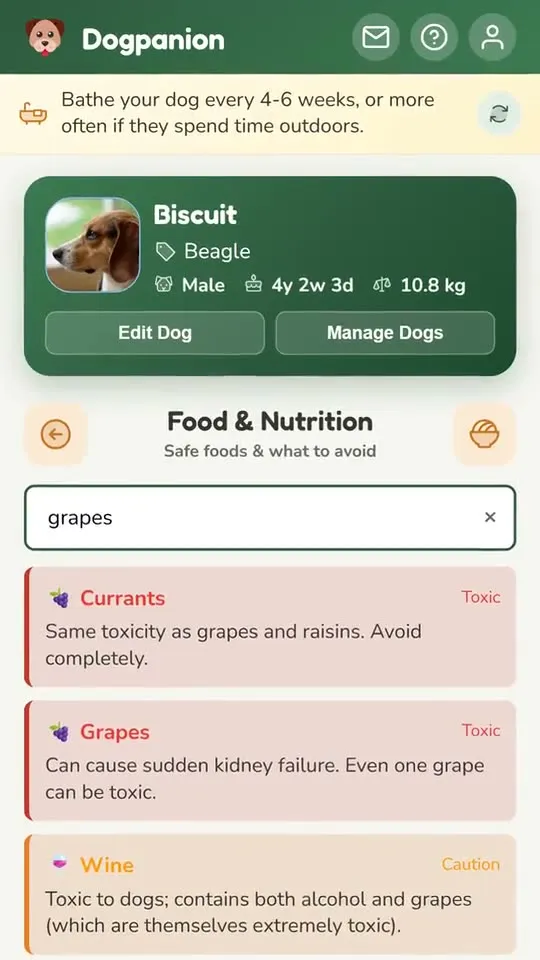
The Free video is for anyone who wants to know what they get without paying anything. It covers checking whether a dog can eat a food, predicting how big a puppy will grow, working out an age in human years and planning monthly costs.
It also makes the point that these tools need no sign-in. That makes it a gentle way to see whether Dogpanion suits you before you create an account or think about upgrading.
Free does not mean cut down. The tools in this video are the same ones many owners use every week, and your single dog profile stays saved on your own phone.
The video for Premium
The Premium video is about keeping your dog's whole life in one place. It shows how health records, vet visits, medicines and reminders sit alongside trackers for weight, walks, sleep, grooming, worming and fleas.
It also explains the practical side: unlimited dogs, and cloud backup so your records are available on your devices. Premium costs £2.99 a month, and new members can try it free for 7 days first.
Watching first can help you decide which trackers you would actually use. Some owners only want the vet and medicine side, while others like the walk, sleep and grooming records, and the video lets you see them side by side.
The video for Breeder Pro
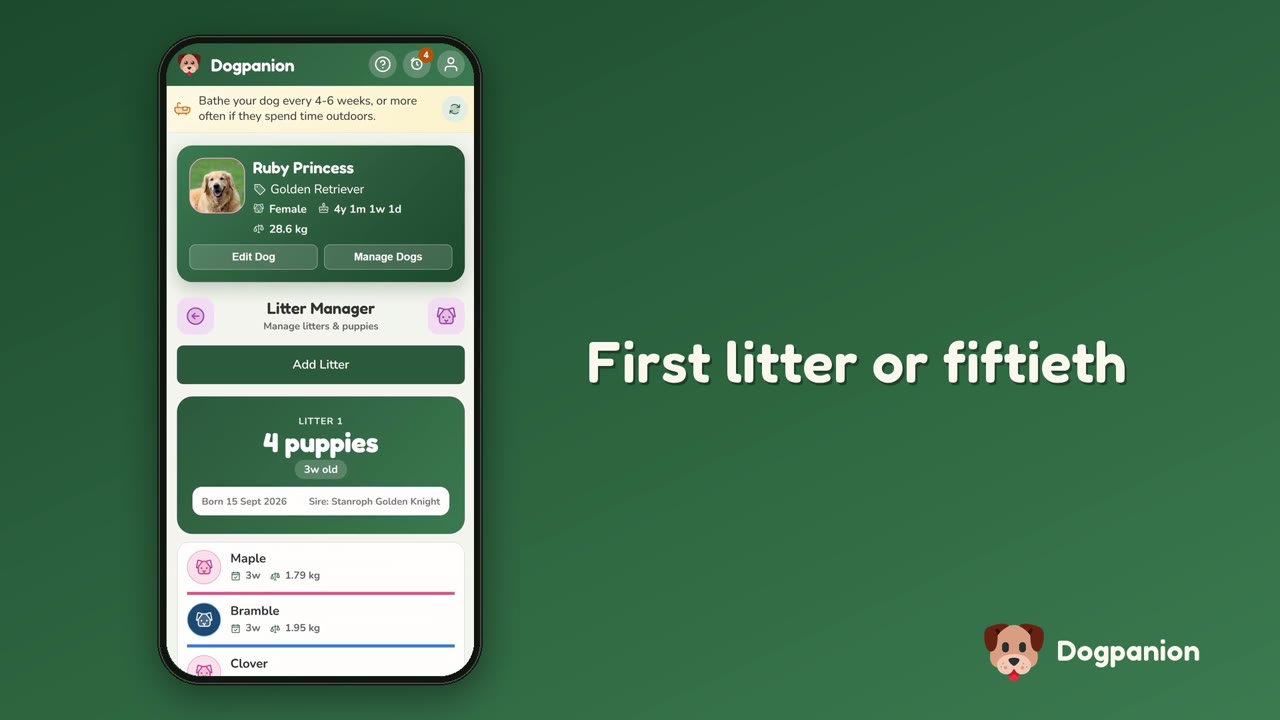
Breeder Pro is for people who breed dogs, and its video follows that story from the first season to the finished litter. It covers heat cycles, due dates, the litter manager, puppy weights, pedigrees and health reports you can share.
Because Breeder Pro includes everything in Premium, the video also shows how the two fit together. The plan costs £5.99 a month, and it has the same 7-day free trial for new members.
If you are only just starting out with breeding, the video is a gentle introduction to what a well-kept set of litter records looks like. Experienced breeders may spot where it could save them paperwork.
Which video should you watch first?
- Pick the app tour if you simply want a friendly overview of what Dogpanion can do for you and your dog.
- Pick the Free video if you are curious but not ready to sign in or spend anything.
- Pick the Premium video if you look after more than one dog, or want reminders and records in one place.
- Pick the Breeder Pro video if you are planning or running litters and want one tidy place for the records.
Trying what you see on screen
Every video ends with a prompt to try Dogpanion free, and you can do exactly that without watching to the end. The free tools open without an account, so you can follow along on your own phone while the video plays.
If a paid feature catches your eye, a 7-day free trial of Premium or Breeder Pro is open to new members, one per account. Cancel during the trial and you pay nothing.
Questions after a video?
If a video leaves you with a question, the pricing page and the frequently asked questions page answer most of the common ones about plans, devices, your data and cancelling.